Did you like the program? You can buy or try it now or contact us if you have any questions!
Main program features:
-
General Advantages
-
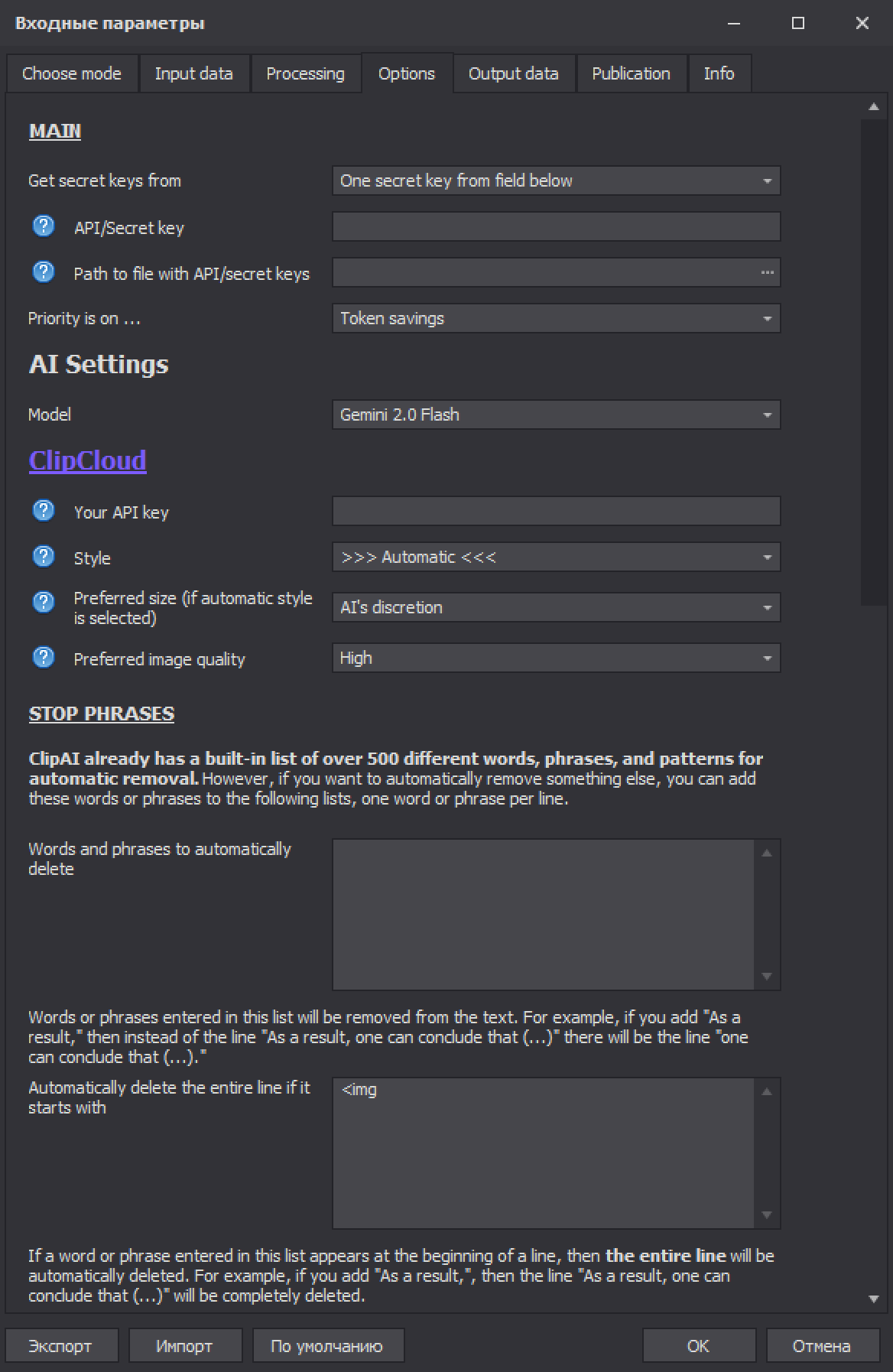
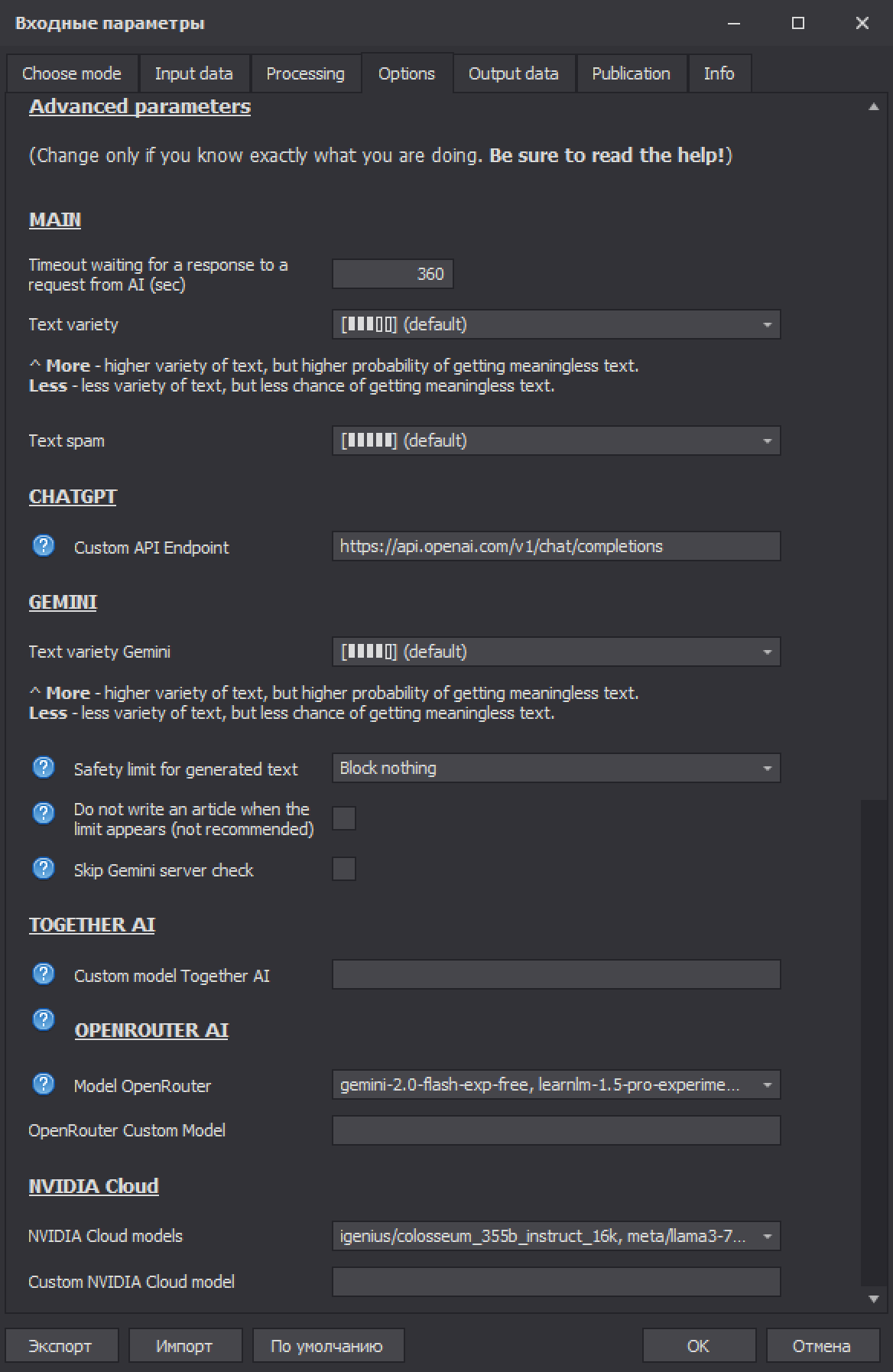
- 🤖 Working with many different AI services: ChatGPT, Google Gemini and Gemma, TogetherAI, OpenRouter, NVIDIA Cloud, Mistral. Almost all of them can be used completely free in ClipAI! And if that's not enough - you can add almost any other service in ClipAI settings.
- 🚀 Incredibly fast multi-threaded work, using very few PC resources! (For instance, it's often possible to run 20 threads even on a PC with a 2-core processor and 4 GB RAM).
- 🌍 Connecting AI to the Internet (in simple terms, the AI will learn to "Google" before writing text), which lets you get accurate, up-to-date information rather than only what the model knew when it was trained. Developed in-house, exclusively for ClipAI. The articles will often be of higher quality than those produced by the largest neural networks without internet access. This will enable you to enter new online earning niches: now AI will be able to write news articles and legal advice, answer even the rarest questions on any topic, create content on constantly changing topics (for example, IT), and so on.
- 🌐 Customizable query language (to expand AI's expertise on niche topics) and output text language.
- ✅ Common problems of popular neural networks are solved (Google Gemini, ChatGPT and others) that often come up when writing text. For example, ClipAI itself makes sure that the AI does not repeat the same facts in the article or subtopics (even in different words), places HTML tags correctly, writes only on the topic, does not add unnecessary phrases, and so on. The number of such improvements already runs into the hundreds!
- ✍️ “anti-detect” for any written text: any check of text generated by ClipAI will show that it was written by a human.
- 🤝 Top level support. We will help you free of charge at any time of the day, 24/7. We can customize the program completely for your needs, including via remote access, if necessary. We constantly release various useful updates, which we thoroughly test.
-
Writing articles on a given topic or keywords
-
- 📚 Tired of "dry" generated articles that look so much alike? We have the ability to randomly select the neural network model used (among your selections) when writing each element of the article. This will greatly diversify the text.
- 🔍 When writing an article, ClipAI can automatically find and use LSI words.
- 📺 Automatic search and adding YouTube videos to the article (to lower the bounce rate and increase the time users spend on the site).
- 🖼️ Images for the article: automatic search (on the internet or on free photo hosting sites), AI generation (via GPT or ClipCloud), or your own sources (URL or a folder). The images are added to the article.
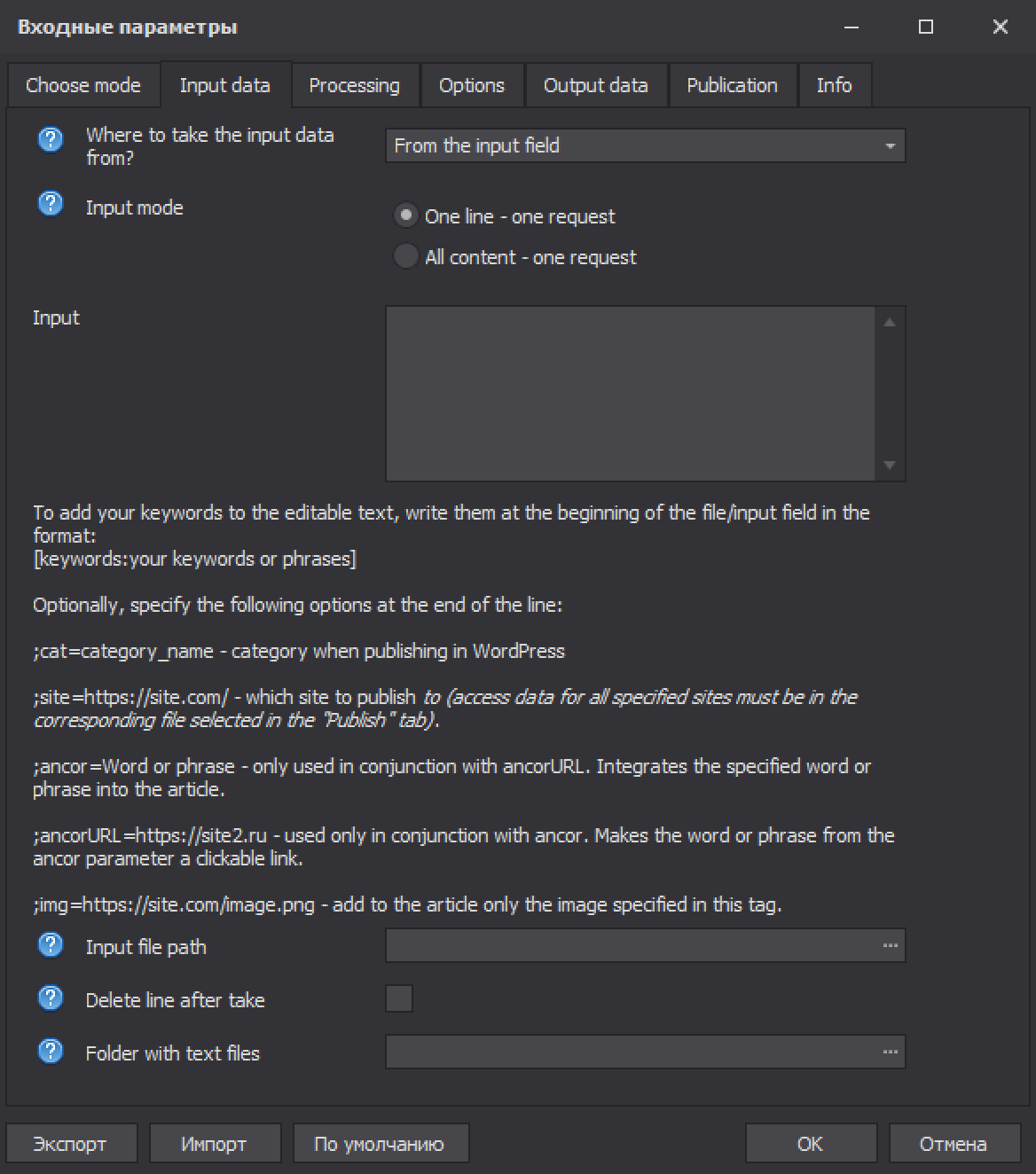
- 🔗 Additional features for PBN networks: automatic "native" embedding of anchor links into articles.
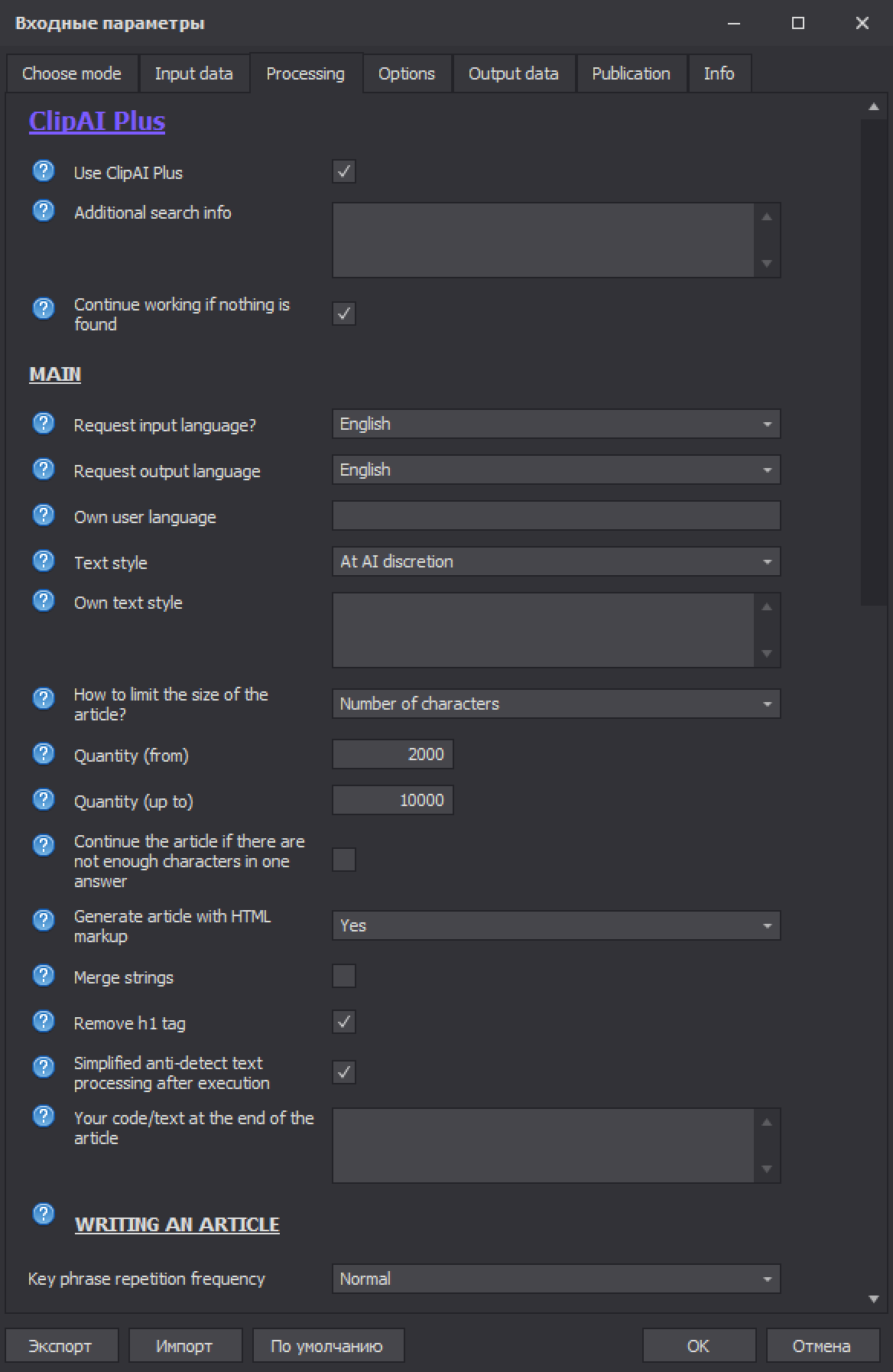
- ✏️ Set the number of characters or words for an article (there are no restrictions on the number of characters in the article!).
- 📖 Ability to write both by subheadings (automatically generated) and by article plan. Or no subheadings at all. Any article size is available: even tens of thousands of characters.
- 📝 Choosing the style of the article to control the emotionality, or on the contrary, the formality of the text (17 preset styles + the ability to specify any custom style)
- 💻 Support for high-quality HTML markup.
- 🔑 Use of keywords when writing an article with a set frequency of use.
- 🎛️ Customizable Text Spam and Text Variety parameters
- 🧠 Smart and fully automatic avoidance of repetition of topics in the article (a known problem with neural networks), even if they are written in different words.
- 🚫 Ability to automatically remove links that the neural network may have added to the text at will.
- 📎 Ability to set your code/text at the beginning, middle (random line), or end of the article.
-
Automatic publication of written articles
WordPress websites:
-
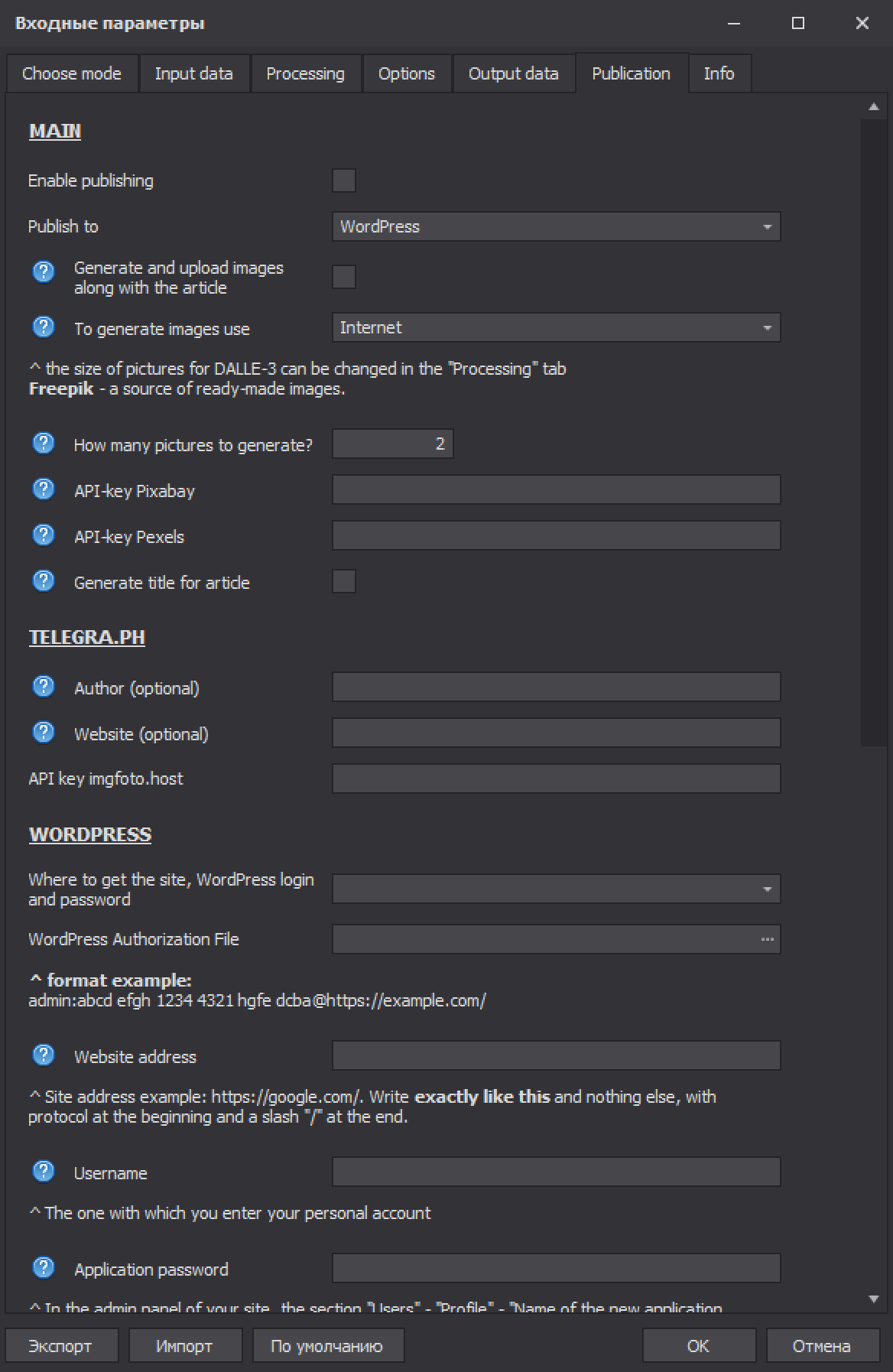
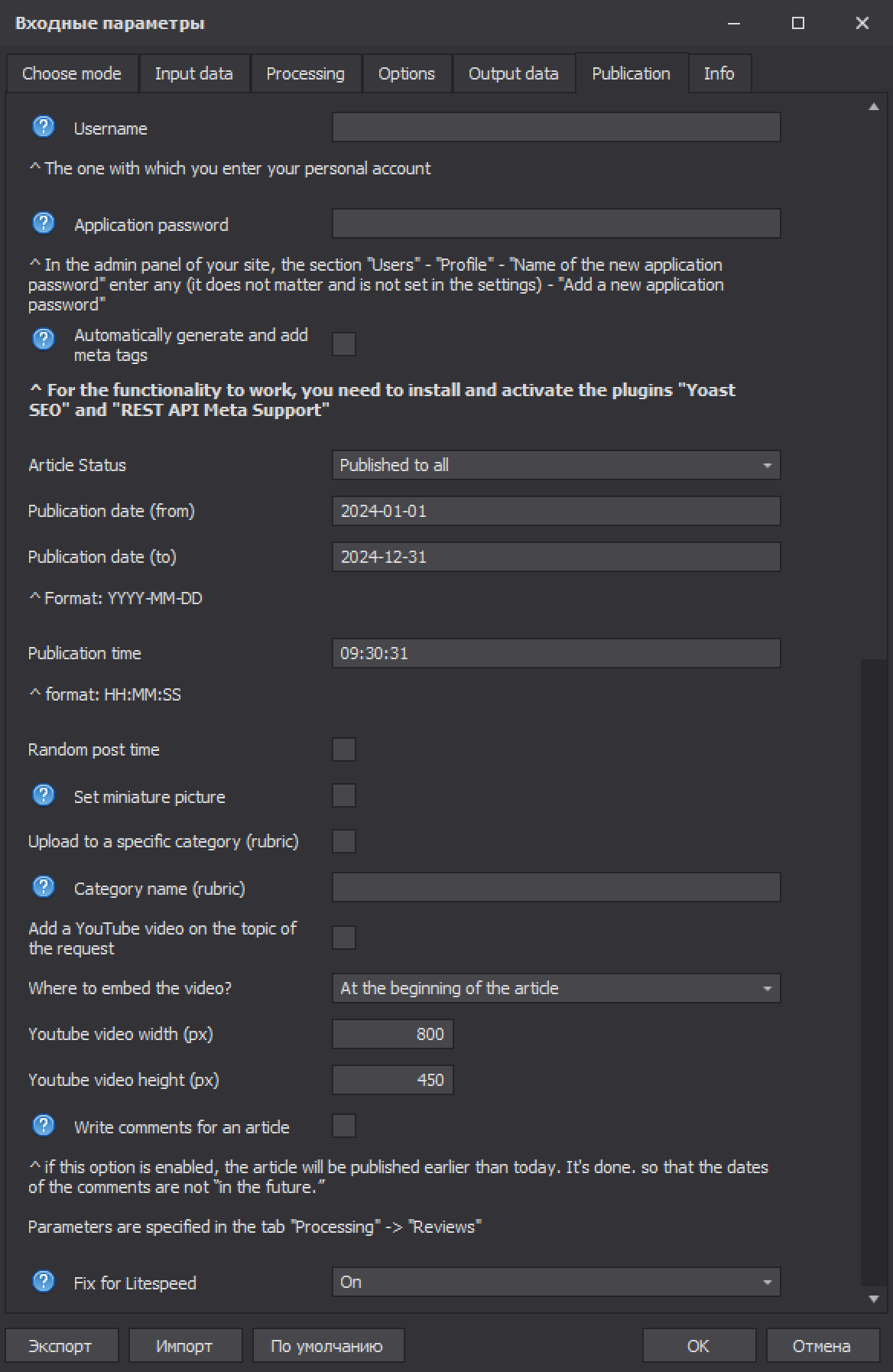
- 📈 Automatic SEO optimization: support for Yoast SEO with automatic completion of meta tags for each article.
- 🧩 Working with several sites at the same time, including those of different niches.
- 🗓️ Ability to set the status, date and time of publication, including scheduled publication.
- 💬 Ability to generate comments from different users with various publication dates.
- 🗜️ Automatic local conversion of images to WebP with maximum compression.
- 📂 Publishing to categories.
- 🏷️ Automatic choice of the article title. Useful, for example, if your input has only keywords and no article title.
Publishing to Telegraph:
-
- 🔐 No account registration: ClipAI will register one for you automatically. But if needed, you can use an existing account.
- 👤 With the ability to set the name of the article author and site.
- ⚙️ Is it hard to add a picture or video on Telegraph? With ClipAI it is very easy and fully automatic.
Export to file:
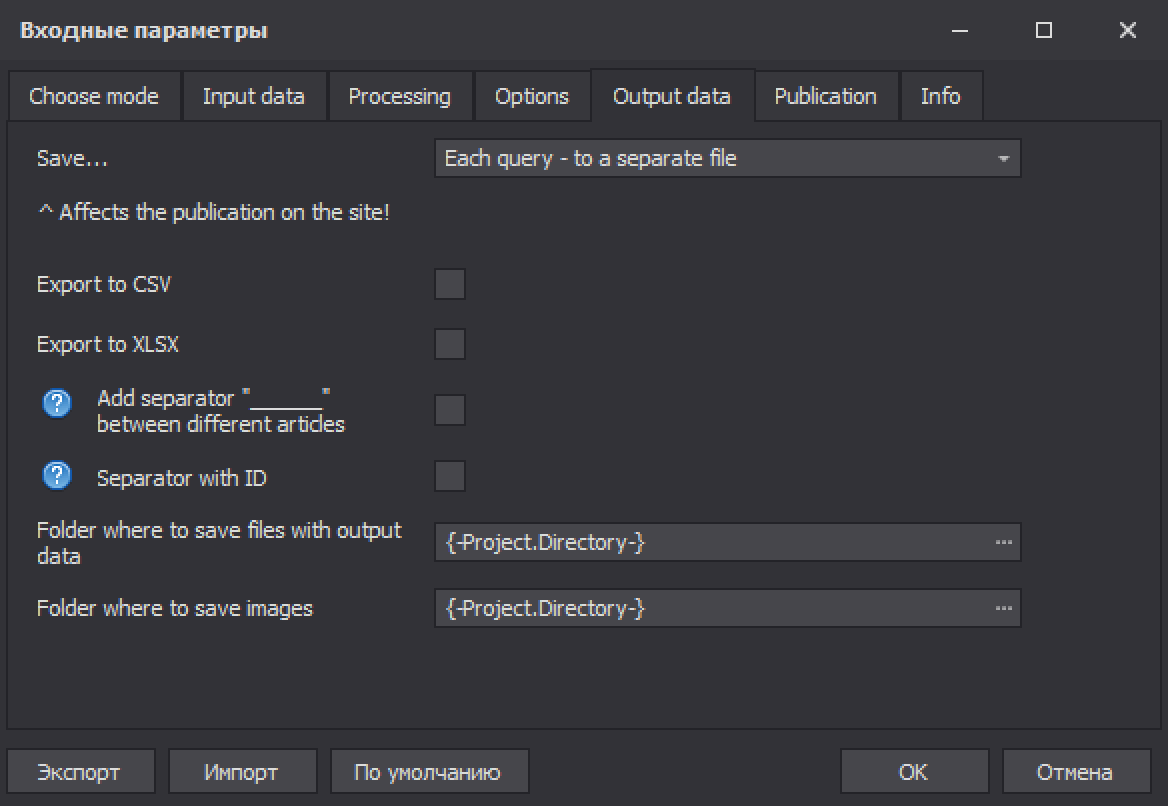
Ability to export to formats: txt, xlsx, csv, html, docx.
-
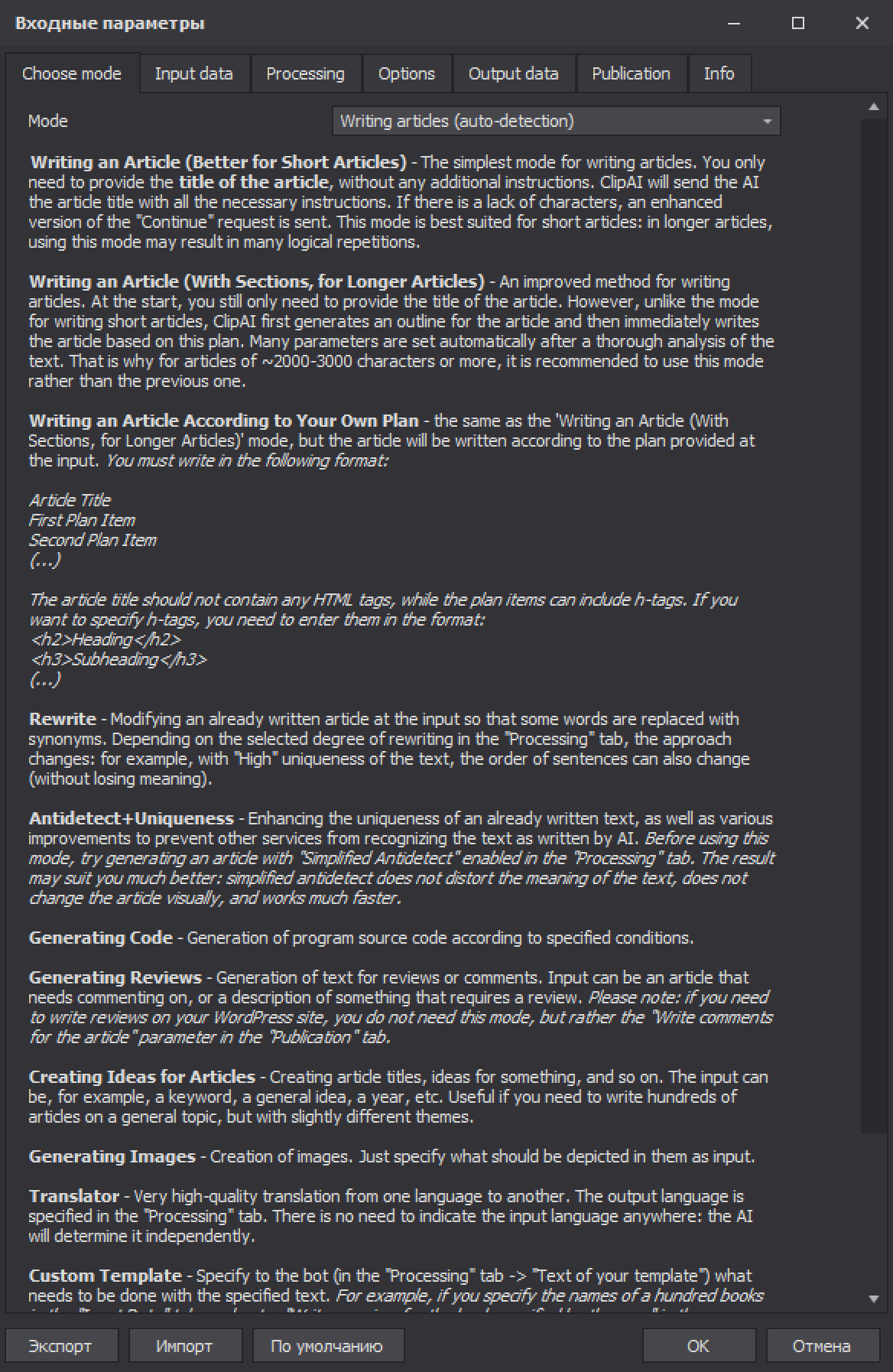
"Rewriting" - changing the source text so that the meaning of the text does not change (for example, replacing words with synonyms)
-
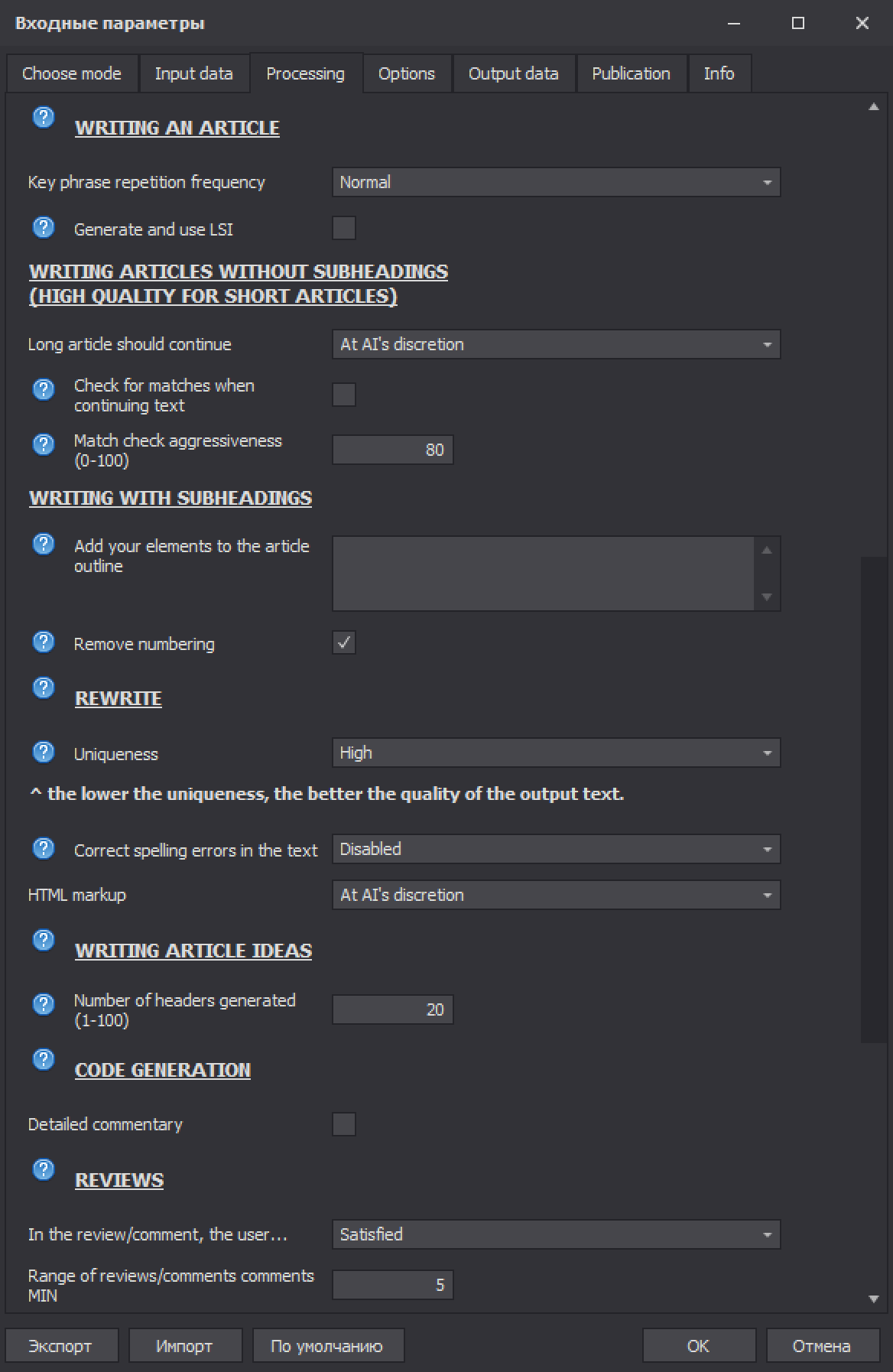
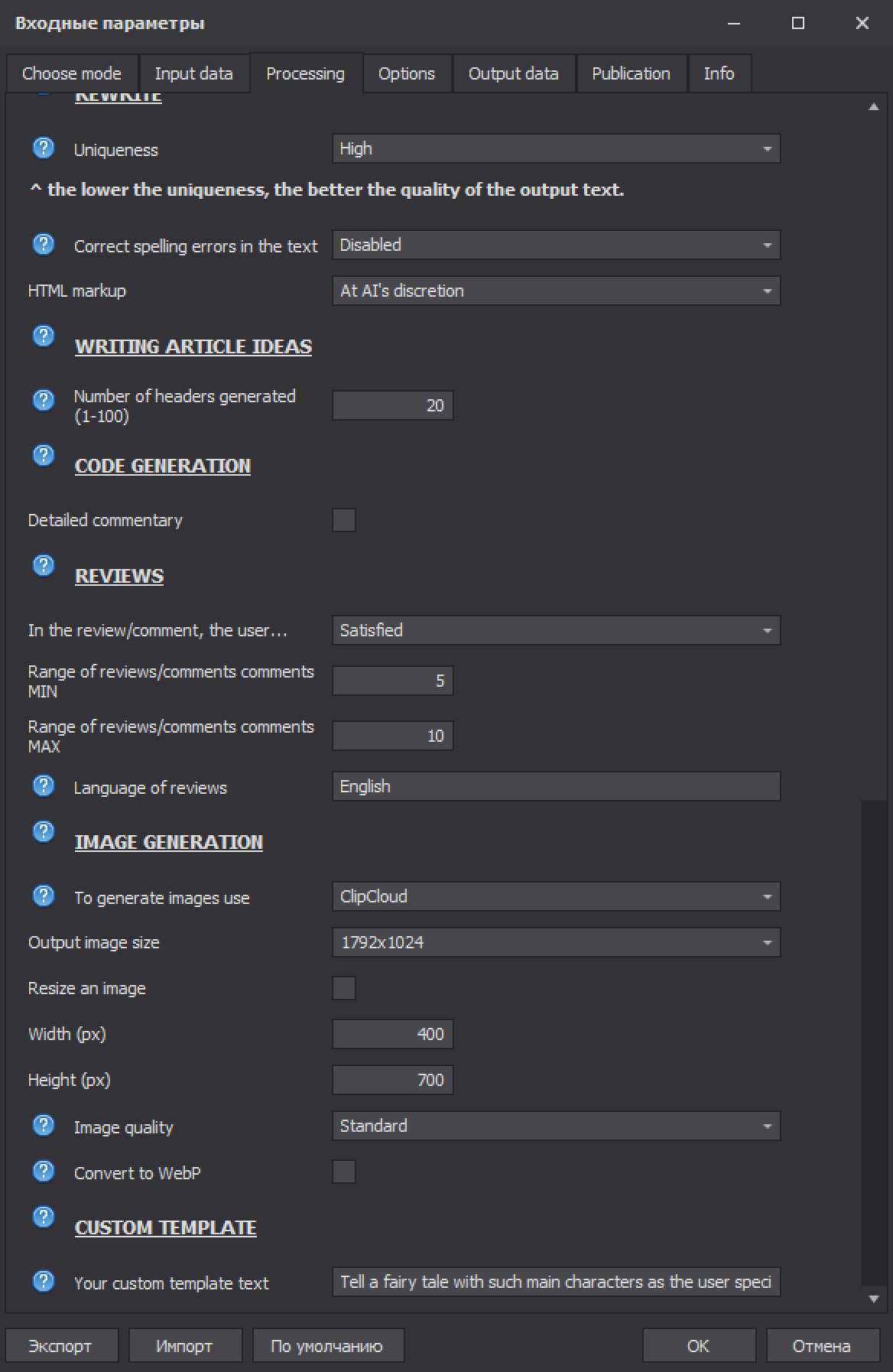
- Setting the required level of uniqueness.
- Possibility to enable error correction mode when rewriting (spelling, punctuation, "parasite words" and others). This will help, for example, to convert low-quality automatically generated subtitles from a YouTube video into a high-quality article.
-
Generating reviews or comments on an article, product, or anything else
-
- Selecting the user's mood (Satisfied / Constructive Criticism / Neutral / Unsatisfied).
- Select the number of reviews or comments per topic.
- Selecting the language of the reviews.
-
Generation of the source code of a given program in a given programming language
Ability to comment on the source code in detail.
-
Writing product descriptions
You provide specifications, keywords or just product names and get high-quality descriptions based on the parameters you set.
-
Generating article ideas
-
- Choosing the number of ideas to create per keyword, phrase or topic.
- Ability to create topics for articles based on frequent search engine queries, taking current trends into account for the general subject you specify.
- Separate mode for automatic creation of ideas and subsequent writing of articles on them - in one click!
-
Generating images on a given request
-
- Choice of output image size, including any custom size.
- Selecting the quality of the images.
-
Generating any text according to a user-specified template
You can write your own request (“prompt”) for the AI and get anything: even a fairy tale or a good horror story! Template writing is also supported (“Custom template”): you set the task (what to do) once and give any number of items as input (for example, titles or plots of books to be written).
-
"Antidetect + Uniqueness" mode
Makes any text invisible to AI detectors: services like "Copyleaks" say that the article was completely written by a person! And, as a bonus, it significantly increases the uniqueness of the article.
-
Possibility of text translation
The output text is much more accurate than in online translators!
All functionalities are designed for user-friendliness, not just for show: even the most complex tasks are done in one click, without the need to come up with prompts. There's no need to adjust any other non-obvious additional parameters, such as "Temperature" or "Top_P" for text generation. Everything here is already optimized.
Below are screenshots of the program settings. As you can see, despite the extensive functionality and complex logic of work, setting up and working with the program is extremely simple (and if anything remains unclear, we are always ready to help for free, up to full customization to your needs):
Examples of what the program does with the features above are on this page.
This page was last edited on 05/18/2025. This does not mean that ClipAI is no longer updated: you can find up-to-date information about the latest updates in our Telegram channel @clipaibot:
 Russian
 EN