
-
General questions
- How do I run ClipAI on macOS?
- How do I run several copies of the program on one PC with different settings?
- How do I update ClipAI to the latest version?
- How do I make a generated article more unique?
- How do I save an article with images as an HTML file?
- How do I save an article with images as a Word document (doc/docx)?
- How do I improve the quality of articles?
- How do I make the program faster?
- What languages does ClipAI support?
- What is the maximum number of threads ClipAI can use?
- Which AI should I choose for writing articles?
- Operating modes at a glance
- Do I need to buy ZennoPoster to use ClipAI?
- Do I need to pay for anything else to use ClipAI?
- Getting started: how do I launch ClipAI, set it up and write my first articles?
- Don’t search engines penalize sites with generated content?
- How is ClipAI better than its competitors?
- Show other articles (2) Collapse articles
-
Operating modes
-
-
- How do I automatically add links to specific anchor texts in an article? (Interlinking)
- How do I add a table of contents to an article?
- How do I write thousands of articles (article titles) on one “broad” topic?
- How do I make a generated article more unique?
- How do I specify keywords for an article correctly?
- How do I reduce logical repetitions?
- How do I save an article with images as an HTML file?
- How do I save an article with images as a Word document (doc/docx)?
- How do I improve the quality of articles?
- How do I reduce the “spamminess” of a text?
- Don’t search engines penalize sites with generated content?
- My pages have been hit by a search engine penalty! What should I do?
-
-
-
Input settings
-
- How do I fix errors in a text automatically? | How do I turn auto-generated subtitles into an article?
- How do I add my own sections to an article (for example, an FAQ or a table)?
- How do I set the article length and HTML markup?
- How do I set up ClipAI Plus correctly?
- How do I rewrite a text while changing something in it?
- What uniqueness level should I use for rewriting?
- Text style
-
- “Error while generating an image or uploading it to your server. Continuing without images.”
- How do I assign different categories to different articles?
- How do I add a YouTube video to an article?
- How do I add images to a Telegraph post?
- How do I set the status, date and time of publication in WordPress?
- How do I edit the text of a page that ClipAI published on Telegraph? | How do I log in to an existing Telegraph account?
- How do I set up automatic publishing to a WordPress site?
- How do I set up auto-publishing to Telegra.ph with ClipAI?
- How do I publish different articles to different sites?
- How do I save an article with images as an HTML file?
- How do I save an article with images as a Word document (doc/docx)?
- How do I set a featured image for a post in WordPress?
-
Troubleshooting
-
- “Unable to access non-serverless model” in Together.AI: what does it mean?
- “Sorry, you are not allowed to create posts as this user.”
- “The AI refused to generate the article, trying again. Detailed response: ‘(...)’”
- “200 messages per day limit!” or “Too many API requests per day”
- “Part of the program could not be loaded”
- “Frequent topic repetition detected: X items. Y items specified.” What should I do?
- “Error 401” when publishing to WordPress
- “Encoding error”
- “Error while executing the request. Check your internet connection. (...)”
- “Error while generating an image or uploading it to your server. Continuing without images.”
- “An error occurred while loading the lists. This path format is not supported.”
- “An error occurred. Received an empty response”
- “You most likely do not have access to this model. Stopping the template. Details: The model (...) does not exist or you do not have access to it.”
- “Too many API requests per minute. Waiting 20 seconds and trying again.”
- “The specified category was not found. Continuing without it.”
- How do I fix a 503 error?
- Error “Failed to create a task for ClipAI Plus”
- Google Gemini quota error
- Publishing to WordPress: “Received an empty response from the WordPress site” (or a similar error) in the log, or articles are not published but there are no errors
- Show other articles (4) Collapse articles
-
- “No connection to the authorization server or your IP is blocked” in ZennoPoster or ZennoBox
- “Error obtaining a license. The product being installed has not been purchased”
- I press “Start” but nothing happens.
- ZennoPoster or ZennoBox does not start
- Several identical articles are written, or “Maximum threads” changes to “1” after ClipAI starts
-
- “Frequent topic repetition detected: X items. Y items specified.” What should I do?
- How do I add my own sections to an article (for example, an FAQ or a table)?
- How do I add a table of contents to an article?
- How do I make a generated article more unique?
- How do I reduce logical repetitions?
- How do I improve the quality of articles?
- How do I reduce the “spamminess” of a text?
- Which AI should I choose for writing articles?
- What uniqueness level should I use for rewriting?
- The h1 tag is not added to the article
- Don’t search engines penalize sites with generated content?
- My pages have been hit by a search engine penalty! What should I do?
-
- ZennoPoster/ZennoBox freezes
- How do I remove the numbers at the end of file names?
- I press “Start” but nothing happens.
- Google Gemini quota error
- Several identical articles are written, or “Maximum threads” changes to “1” after ClipAI starts
- Several articles are written as one
- The balance of a paid neural network is used up too quickly
- My pages have been hit by a search engine penalty! What should I do?
-
-
ClipAI Plus
-
Other questions
- How do I summarize an article, or rewrite it with a different length?
- How do I add another neural network to ClipAI?
- How do I use ClipAI with local AI models (LLMs)?
- How do I use ClipAI through the API?
- How can I use ClipAI most conveniently when my computer is off, or on different PCs?
- How do I move a ClipAI license to another PC?
- How do I try ClipAI? | Can I get a refund if something doesn’t suit me?
- How do I use ClipAI from another script or program?
- How do I rewrite a text while changing something in it?
- How do I remove the numbers at the end of file names?
- What's new in the latest updates? How often is ClipAI updated?
-
WordPress
- “The web server cannot generate responsive image sizes for this image” in WordPress.
- “Sorry, you are not allowed to create posts as this user.”
- “Error 401” when publishing to WordPress
- “Error while generating an image or uploading it to your server. Continuing without images.”
- “The specified category was not found. Continuing without it.”
- How do I assign different categories to different articles?
- How do I set the status, date and time of publication in WordPress?
- How do I set up automatic publishing to a WordPress site?
- How do I optimize articles published on WordPress for SEO?
- How do I publish different articles to different sites?
- How do I set a featured image for a post in WordPress?
- Publishing to WordPress: “Received an empty response from the WordPress site” (or a similar error) in the log, or articles are not published but there are no errors
-
Telegra.ph
-
ClipCloud
Several articles are written as one
The most common cause is a wrong value in the “How many to do” parameter at the bottom of the ZennoPoster window.
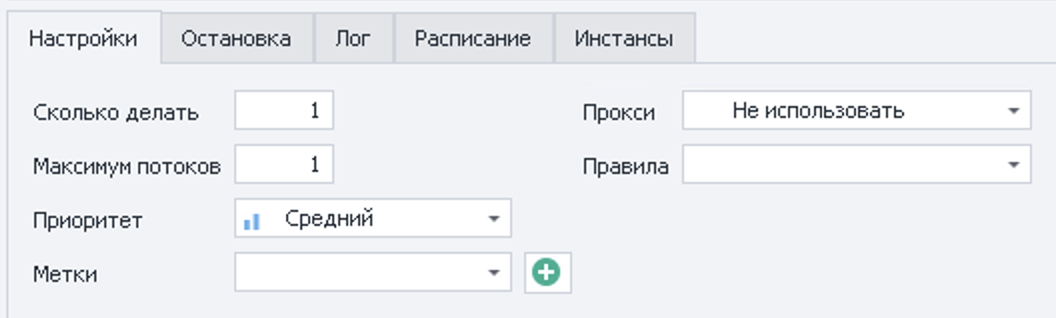
You may have set the value here manually or clicked one of the buttons at the top of the ZennoPoster window that increase it (+1, +10, +100 or ∞):

- If the value here at launch was “1”, this parameter is set correctly. Look at the value it had at launch, not the current one: it decreases as executions complete successfully.
- If it is “-1”, that means an infinite number of executions. In this case, of course, ClipAI will keep writing articles on the same topics until you stop it.
- If it is any other value and single-thread mode is selected, that is exactly the problem: it should be set to “1”.
Also check that the input file (if a file is used as the input) is not in the output folder, the one set in the “Output data” tab of the input settings. If that same tab also has “Save…” -> “Requests in one execution - into one file (named after the input file)”, this problem can occur, because with these settings the generated articles are written to the input data file. ClipAI often warns you in the log when the input settings are wrong.
If the “Output data” tab has “Requests in one execution - into one file” selected, remember that when you run it again, the same article (or an article from the same input file) will be appended to the same file as in the previous run. If you don’t want this, select “Each request - into a separate file”.
Still have questions? Contact @a1exmurz or use the online chat (button in the bottom-right corner). We will answer any questions at any time. We can also set up ClipAI on your computer (via remote access) tailored to your needs. It's free!
 Russian
 EN